Features
What your site can do.
Every Onyx site is built on the same platform, so the hard things — taking money, taking bookings, editing your own site — are already solved before we start on yours.
01 · Live admin chat
Change anything, anytime.
Your site has an editor you talk to. Say "swap the photo on the front page" or "add Thursday's class to the timetable" and watch it happen in a live preview before you publish. Or switch on Edit, click any sentence on the page and type over it. Every change is saved, so anything can be rolled back.
Your photos live in one place too. You can see where each one is used, which are too small to look sharp, and the point a crop should keep in frame, like someone's face.
It can also tell you how the site is doing (visitors this week, your busiest pages). Anything it can't do comes to us, and so does the "I need help" button. And if you'd rather we did the editing, that's what we're for.
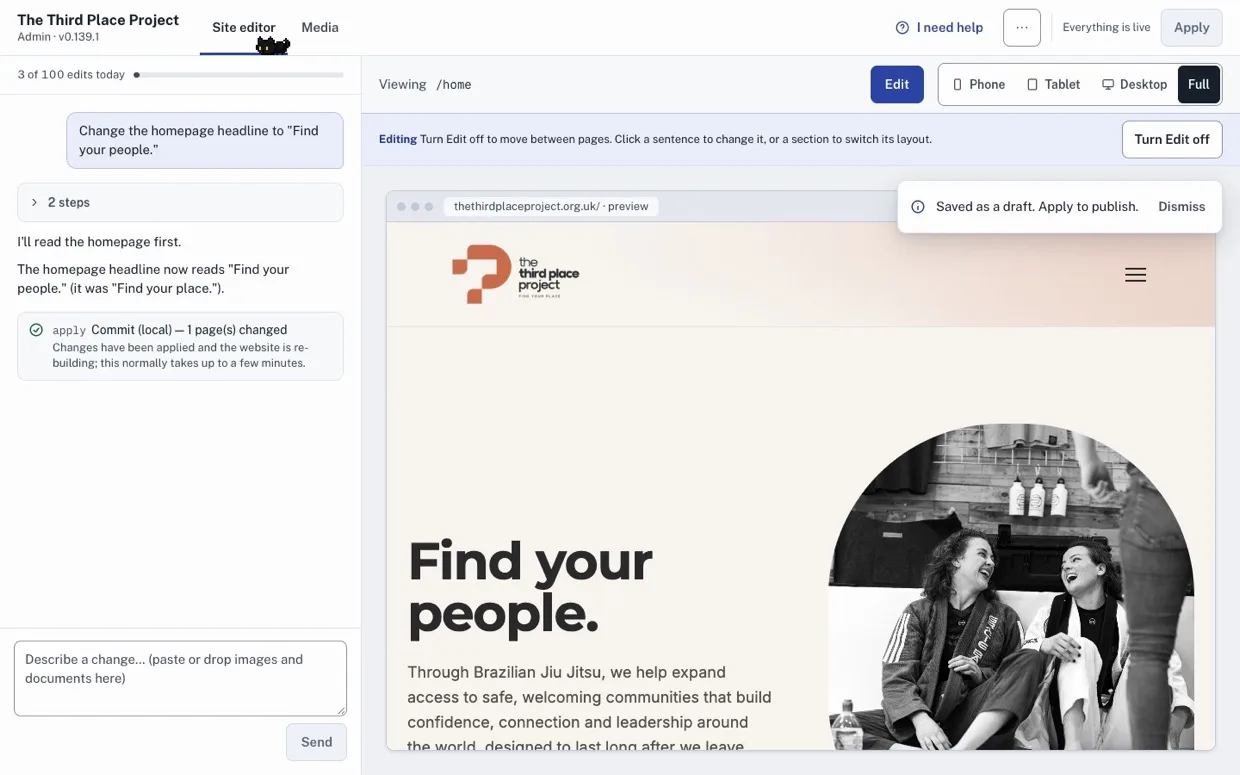
Now I'm able to add to and edit my website however I please, independently, with very little need for tech understanding or competence.
02 · Bookable events
Take bookings, get paid.
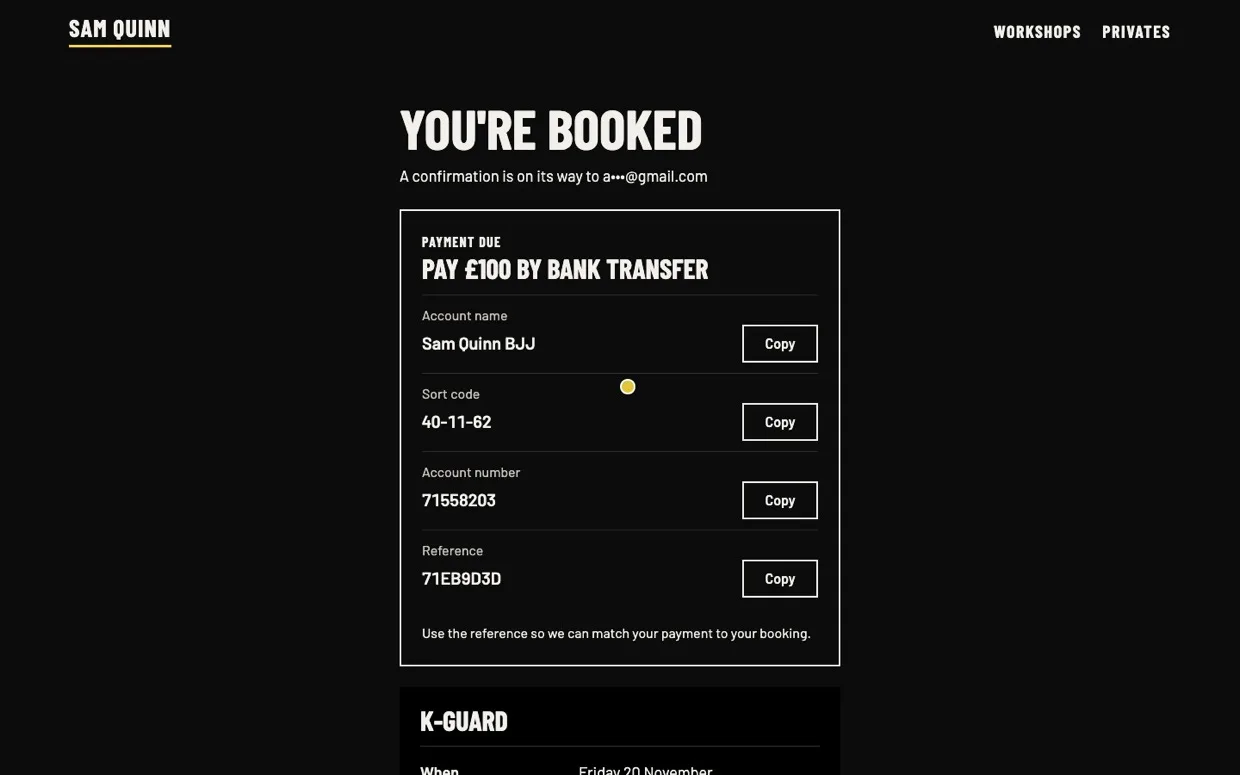
Someone finds your class or event, picks their spot, pays by card, Apple Pay or Google Pay, and gets a confirmation email, all on your site while you're doing something else. You see every booking in one list, and online payments go straight to your Stripe account.
A four-week course is one booking, not four. People who can't make this run's dates can ask to hear about the next ones. Some people can pay by bank transfer or cash instead, if that suits you.
Terms, consent boxes and cancellations are handled properly, because the unglamorous bits are the ones that bite.
03 · Contact forms
Hear from your visitors.
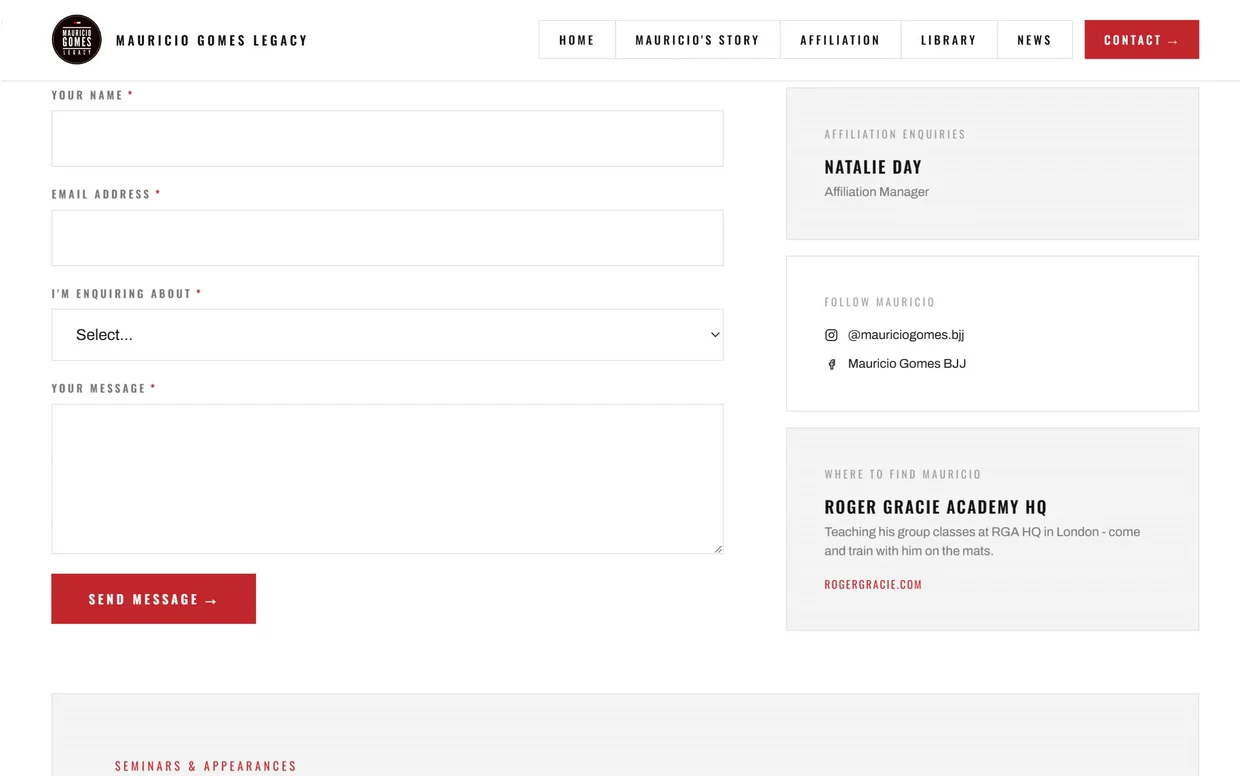
Enquiry forms that reach your inbox and stop spam without making humans solve puzzles. The contact page on this site runs on the same thing.
Longer forms, like an application or a request for a quote, go one step at a time and can take photos.
There's a newsletter signup too, if you send one.
04 · Interactive location map
Show everywhere you are.
An interactive map of every location in your world: branches, venues, partner clubs. Where badges crowd together, hovering fans them out, so every location stays visible and nothing hides behind anything else.
The map here is live on Mauricio Gomes' site right now, showing the academies affiliated to his lineage across the UK.
See it live on mauriciogomesbjj.com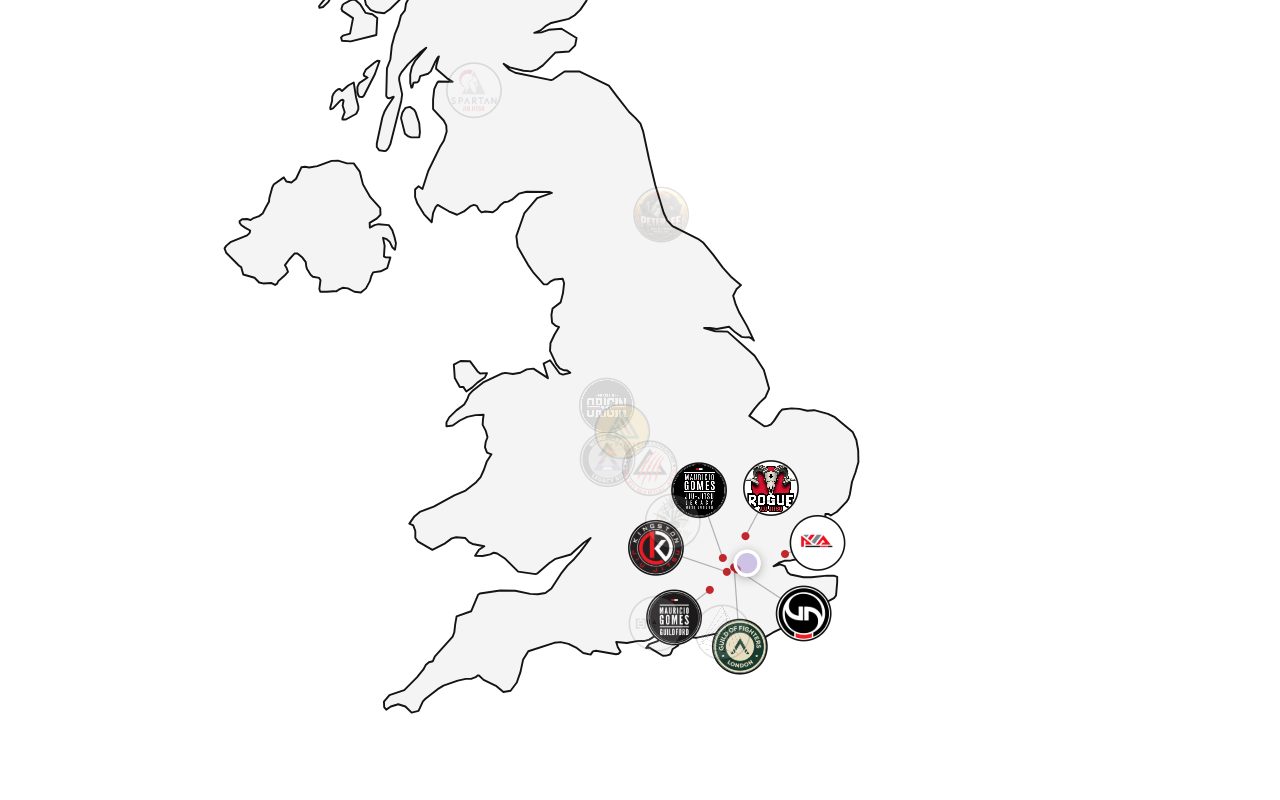
05 · Donations
Take donations properly.
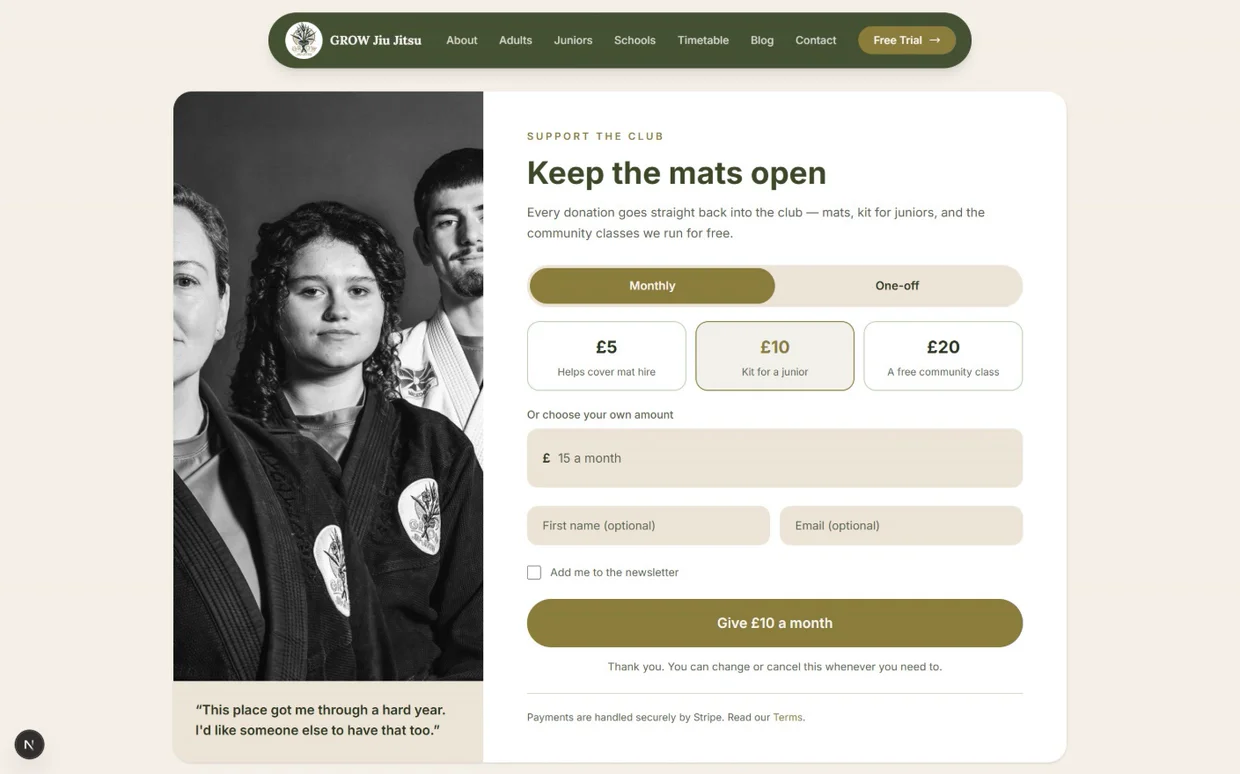
For charities, clubs and community groups: card donations through Stripe, one-off or monthly, in pounds or dollars, with a proper thank-you page and a note in your inbox every time someone gives.
06 · SEO + AEO optimisation
Get found.
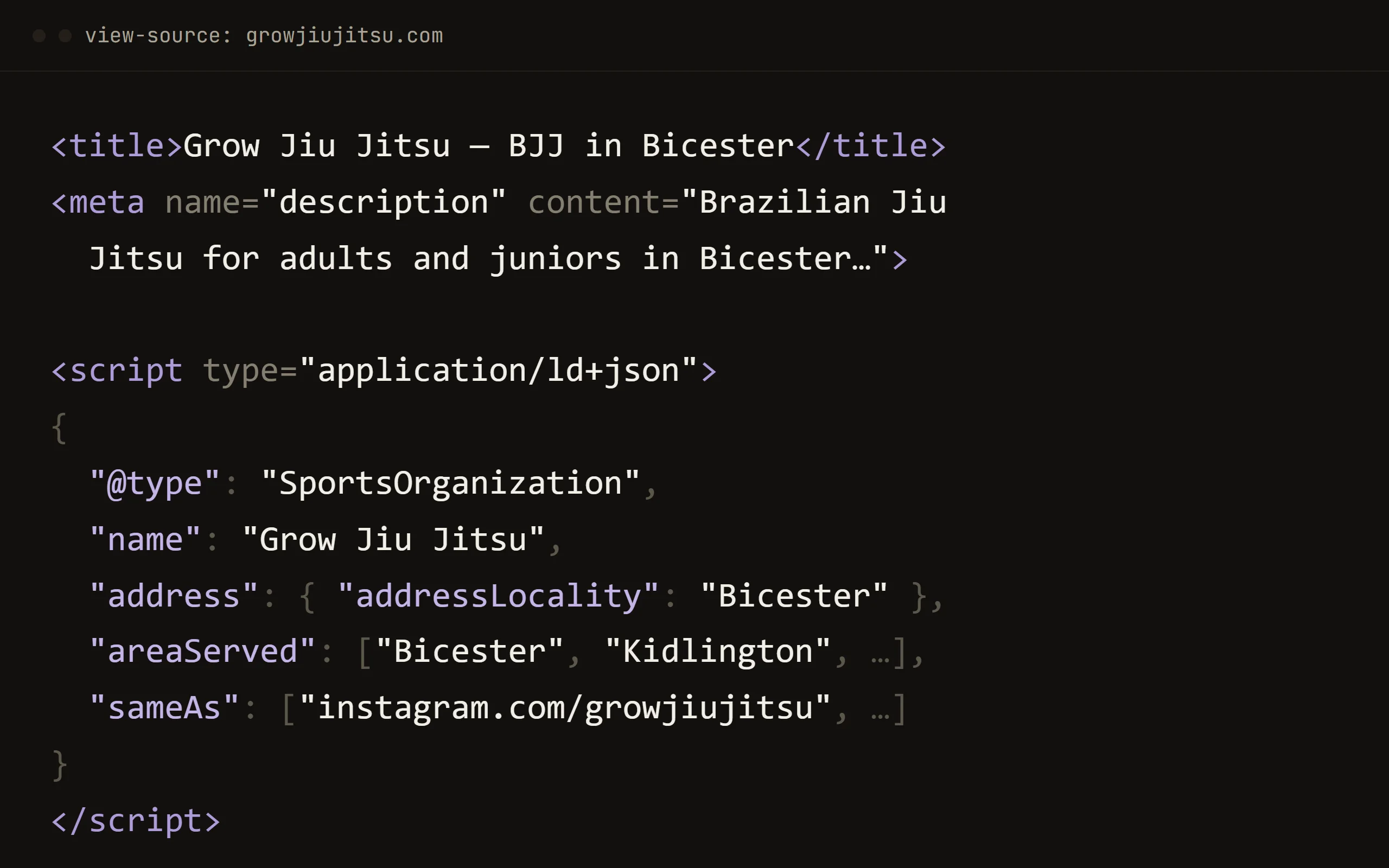
Search engines and AI assistants read code, and every Onyx page hands them exactly what they need: a proper title, a real description, and structured data that says what your business is, where it is and who it serves.
AI assistants also get a plain-text guide to the whole site at /llms.txt, and your FAQs are marked up as questions and answers.
The code in the picture is live on Grow Jiu Jitsu's homepage right now. Every page ships like this, without you ever thinking about it.
07 · Promo reels
Site + PromoteAnnounce it on Instagram.
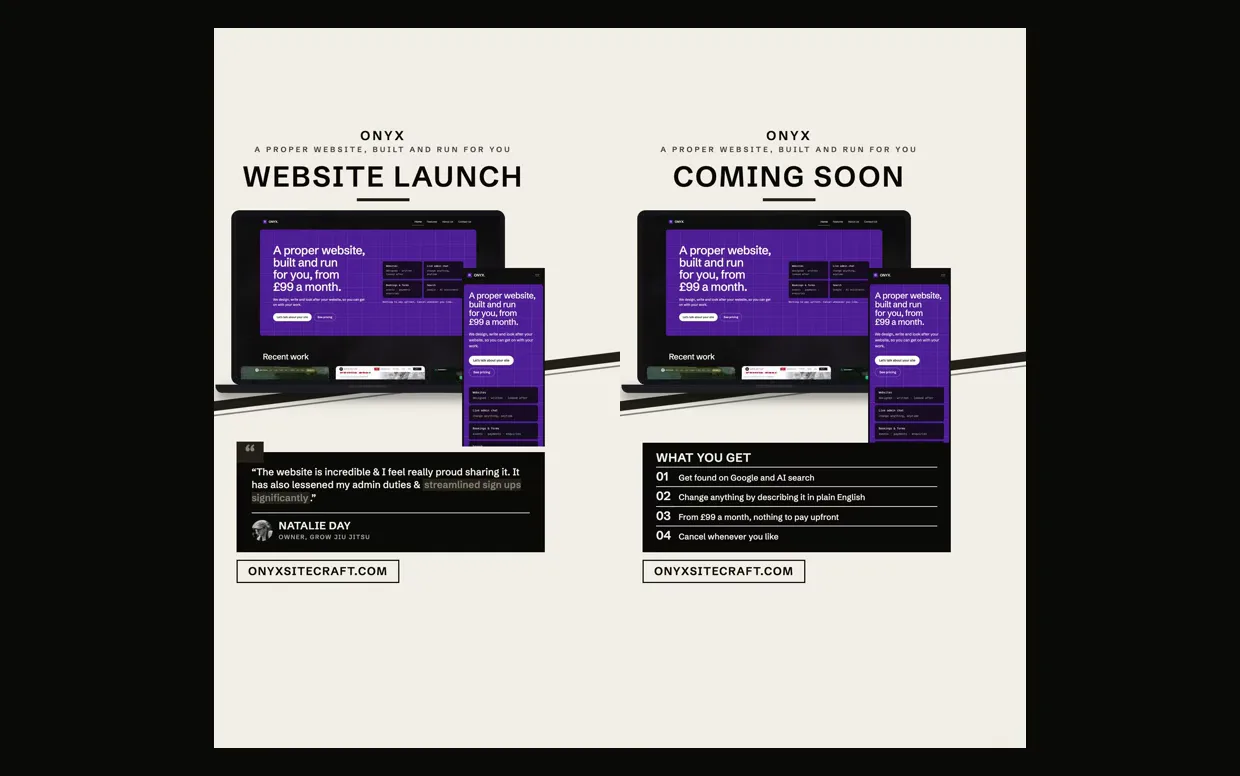
On Site + Promote, when your site goes live or a new class or workshop goes on sale, we make the Instagram reel that announces it. It's in your fonts and colours: your site scrolling on a laptop and a phone, or your own clip with the words over it.
Ask for one in the admin chat and the request comes straight to us. The two reels here are Onyx's own.
Included as standard
And the everyday parts, done properly.
The block library behind every Onyx site covers the things most businesses need, so none of this costs extra design time.
- Class timetables
- Blog & news, with tags and an RSS feed
- Photo galleries
- Testimonials
- Price lists
- FAQs
- Event listings
- People & team pages
- Video embeds
- Photo carousels
- Dropdown menus
- "On this page" links for long pages
Ready when you are.
Tell us about your business. You'll hear back from Ed or Jonah, the two people who'll build and run your site.